End-to-end bioprocess modelling
Represent process routes, material and energy balances, equipment, batch logic, schedules, economics, and environmental performance.
SuperPro Designer alternative · Acatian-published comparison · reviewed 14 October 2026
Quick answer
Represent process routes, material and energy balances, equipment, batch logic, schedules, economics, and environmental performance.
Acatian adds browser access, native branches and model diffs, governed data intake, review context, APIs, and linked dynamic evidence around the process model.
Keep a validated SuperPro workflow as the reference until Acatian meets agreed tolerances on one authorized, customer-owned process.
30-second decision
Capability comparison
| Decision criterion | SuperPro Designer | Acatian | Practical workflow effect |
|---|---|---|---|
| Authoring and access | Version 15 Windows 10/11 desktop application with fixed, floating, and corporate licensing. | Browser workspace for shared projects, roles, invitations, and controlled access. | No workstation handoff. The team opens the same current model and decision context. |
| Collaboration | Strong modeller workflow; broader review and communication are commonly handled through files and adjacent tools. | Comments, collaborators, project ownership, change plans, and review state live beside the model. | Reviewers can comment on the shared model alongside its changes, sources and review state. |
| Versions and alternatives | Official pages reviewed do not document a native branch, model-diff, and restore workflow. | Named branches, model versions, before/after impact, restore, and controlled or approved states. | Alternatives remain comparable and reversible without duplicating opaque project files. |
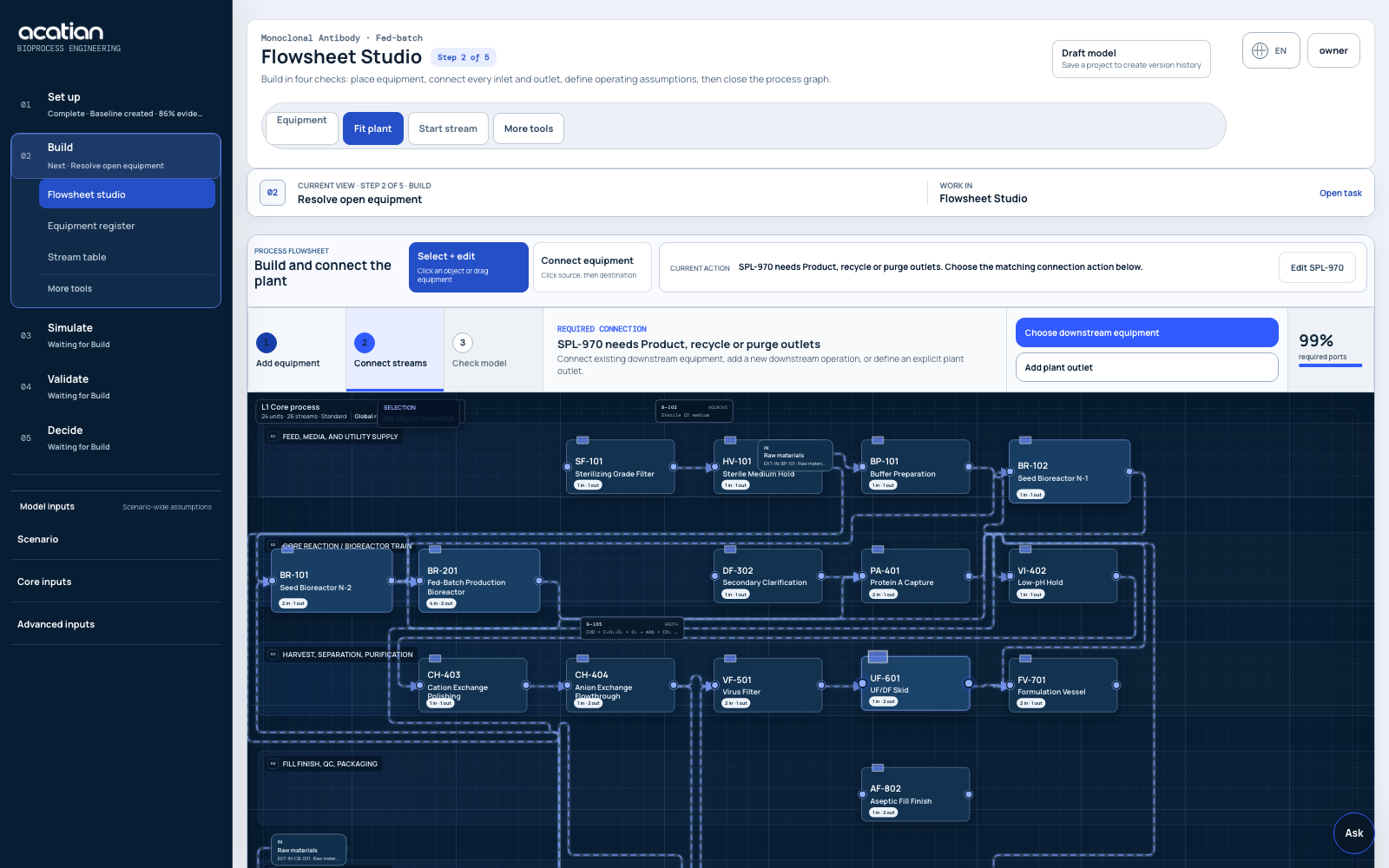
| Core process engineering | Established batch and continuous simulation, 140+ unit procedures, reactions, VLE, balances, sizing, and costing. | Editable plant graph linking streams, equipment, reactions, balances, physical limits, production modes, and scale assumptions. | The graph is shared by every downstream analysis. SuperPro retains the advantage of a longer-established unit-operation library. |
| Dynamics and uncertainty | Integrated batch calculations; sensitivity, optimization, and Monte Carlo can be driven through COM and external tools. | Native ODE/PDE runs, time trajectories, parameter intervals, sensitivity scenarios, and uncertainty outputs in the project. | Dynamic results stay versioned with their inputs instead of returning from a separate spreadsheet workflow. |
| Scheduling and capacity | Detailed batch Gantt, resource tracking, equipment occupancy, and export to the separate SchedulePro suite. | Batch and campaign scheduling, shared-equipment reuse, CIP/SIP, resources, inventory, and plant utilization linked to the same scenario branch. | Design and capacity decisions change together in one model version. |
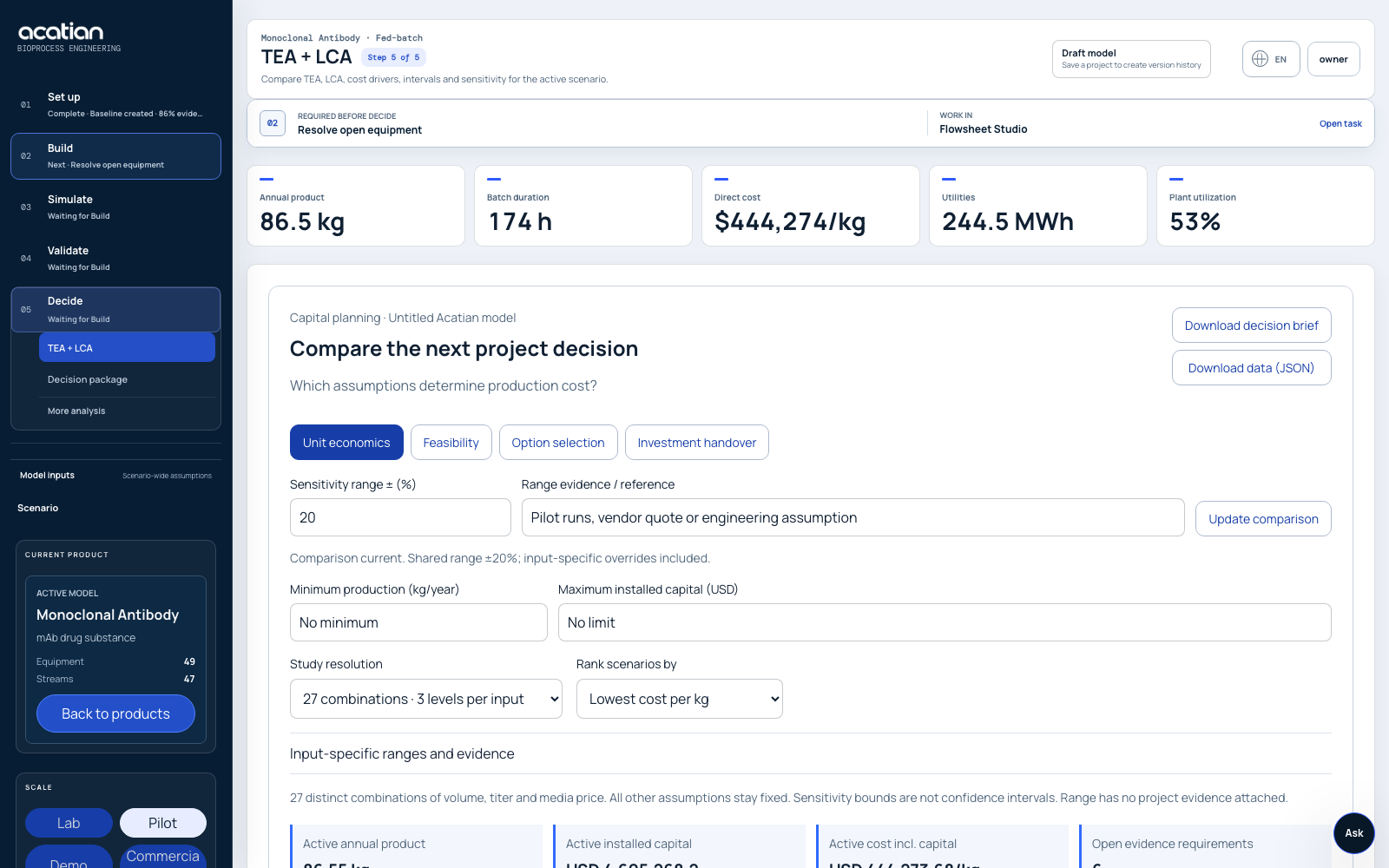
| TEA and LCA | Comprehensive economics, costing, environmental assessment, and reports across many formats. | TEA and LCA connected to streams, schedules, evidence grades, intervals, sensitivity, geography, and detailed inventory exports. | Every cost and impact remains traceable to the process branch, source, and review status that produced it. |
| Company data | Extensive databanks, user-defined materials, corporate cost data, and commercial database compatibility. | Bulk CSV, TSV, JSON, and historian-style ingestion with unit mapping, provenance, timestamp, reviewer, and change history. | Imported plant evidence enters a governed review queue before it changes model parameters. |
| Automation and integration | COM/OLE automation through Excel, MATLAB, C#, Python, and other Windows environments. | JSON process model, REST endpoints, Python jobs, webhooks, GitHub integration, and connector registry. | Cloud and company systems can integrate directly without a Windows automation host. |
| CFD and transport | CFD is not listed as a native capability on the official product pages reviewed. | Bioreactor geometry and boundary-condition workflow, interactive transport screening, and external solver job interfaces. | Scale-up risks connect to the process model. Validated 3D CFD still requires a qualified external solver, mesh, convergence, and experimental evidence. |
| Governance and handoff | Comprehensive calculation reports and customizable output formats. | Model status, source lineage, audit history, approval context, detailed Excel/CSV/SVG/JSON/ZIP, and model-readiness gaps. | The output explains what changed, what is missing, and whether the result is decision-ready. |
Download the SuperPro evaluation and reconciliation template (CSV).
Proof before promise
Controlled migration
Choose one company-owned process and agree tolerances for balances, equipment duty, schedule, economics, and exports.
Use your stream tables, equipment basis, assumptions, datasets, and approved results. Acatian does not decode proprietary model files.
Compare results, evidence, speed, change traceability, collaboration, and missing model scope side by side.
Keep the established tool as reference until the Acatian branch meets the agreed technical and governance criteria.
Buyer questions
Yes. Acatian covers overlapping bioprocess-engineering work including flowsheets, balances, production modes, scheduling, dynamic models, TEA and LCA. It is a browser-based alternative with a different workflow, not a file-compatible clone. Replace a validated workflow only after one authorized reference model passes agreed acceptance criteria.
SuperPro Designer is an established Windows desktop process simulator with a broad unit-operation library. Acatian is a shared browser workspace where process models, assumptions, evidence, datasets, branches, simulations, economics, sustainability, comments, and exports remain connected and reviewable.
The model library extracts source labels and diagram geometry from the supplied example archive into editable visual drafts. This is not native simulation compatibility: topology, operating parameters, reactions, costs and numerical equivalence require authorized exports and independent reconciliation.
SuperPro has a longer commercial track record, a broad established unit-operation library, mature thermodynamic and costing databases, and familiar workflows for experienced users. Keep that workflow where it already meets the project requirements. Evaluate Acatian against agreed criteria for browser collaboration, versioning, data integration, dynamic evidence and cross-functional review.
Process-development, MSAT, CDMO, facility-engineering, fermentation, food-biotech, TEA/LCA, and digital-engineering teams whose work currently moves between simulator files, spreadsheets, reports, email, and review meetings.