Process engineering software

Design the process.
Test every decision.

Build connected process models. Calculate mass and energy balances, inspect reactor transport, practise bioreactor operation and compare production scenarios.

Six connected workbenches
  • Flowsheet builder
  • Mass & energy
  • CFD screening
  • Bioprocess trainer
  • Process-data ML
  • Model assistant

Chemistry · Biotechnology · Food production

Acatian Flowsheet Studio with equipment, connected material streams and model controls
Real application · synthetic reference process

01 / Inside the software

A working model. Six ways to inspect it.

Choose a tool, then inspect the numbered points in the actual application view. Saved versions preserve the basis of each study.

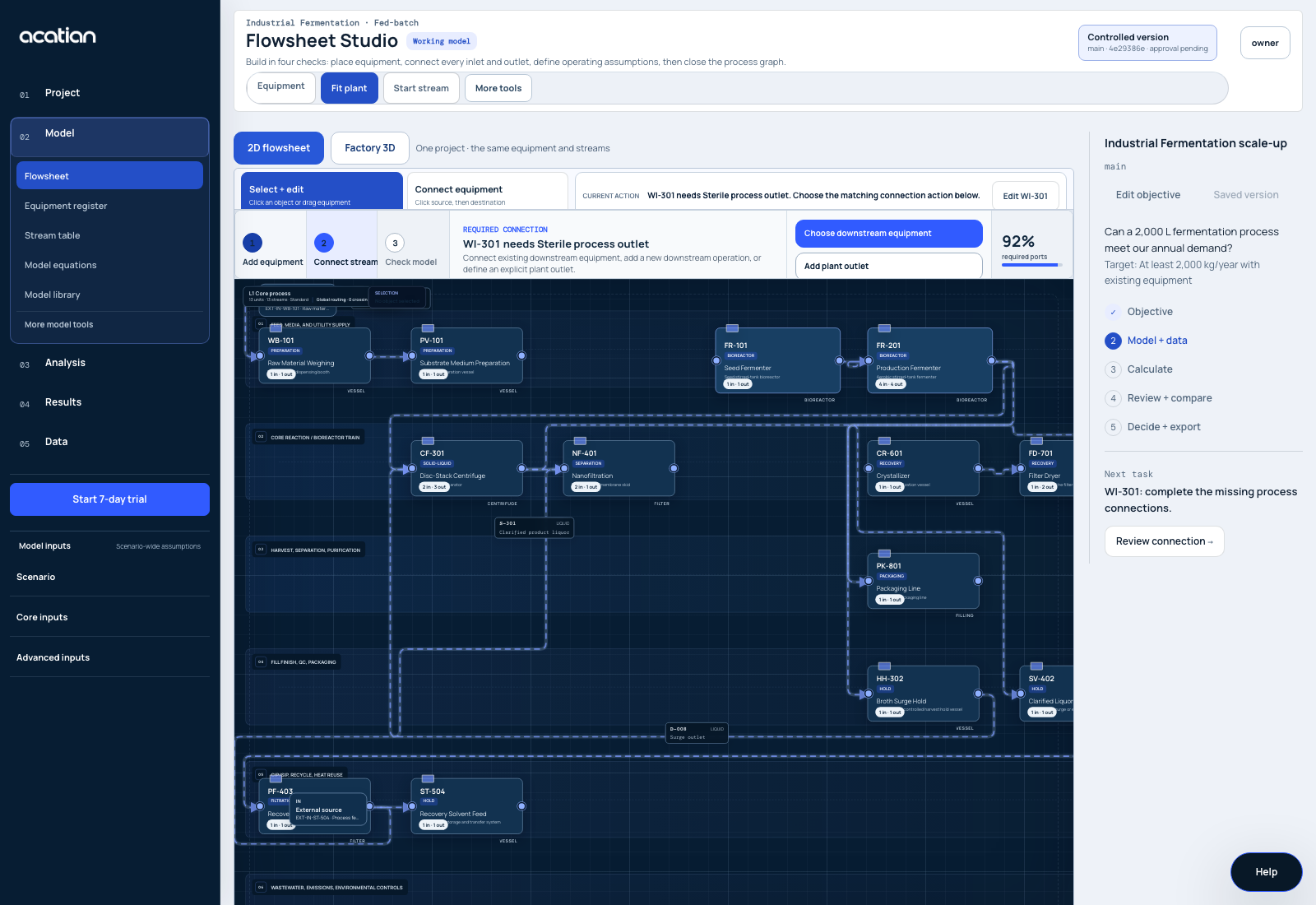
Acatian Flowsheet Studio with connected equipment, streams and checks
Flowsheet Studio · synthetic reference processView full capture ↗

Inspect the workbench

Connect the process before you calculate.

Place equipment, connect material streams and define the operating basis. Follow the model checks to the object that needs attention.

  • Equipment and material-stream topology
  • Editable parameters with units and sources
  • Checks that point to the affected model object
See the guided workflow

Select a numbered point to inspect the work behind this view.

Reload product page

02 / Investigate the process

From vessel geometry to operating strategy.

Start with a model boundary that fits the question. Inspect transport, biological dynamics and the evidence needed at the next scale.

Reactor + CFD workbench

Find the transport constraint.

Inspect equipment geometry and screen oxygen transfer, nutrient distribution, mixing, shear and cooling requirements. Define the case before commissioning a qualified solver run.

You define
Vessel and impellers, gas supply, feed positions and operating conditions.
You inspect
Transport screens, geometry and the numerical or experimental evidence for a solver result.
Inspect CFD and scale-up scope
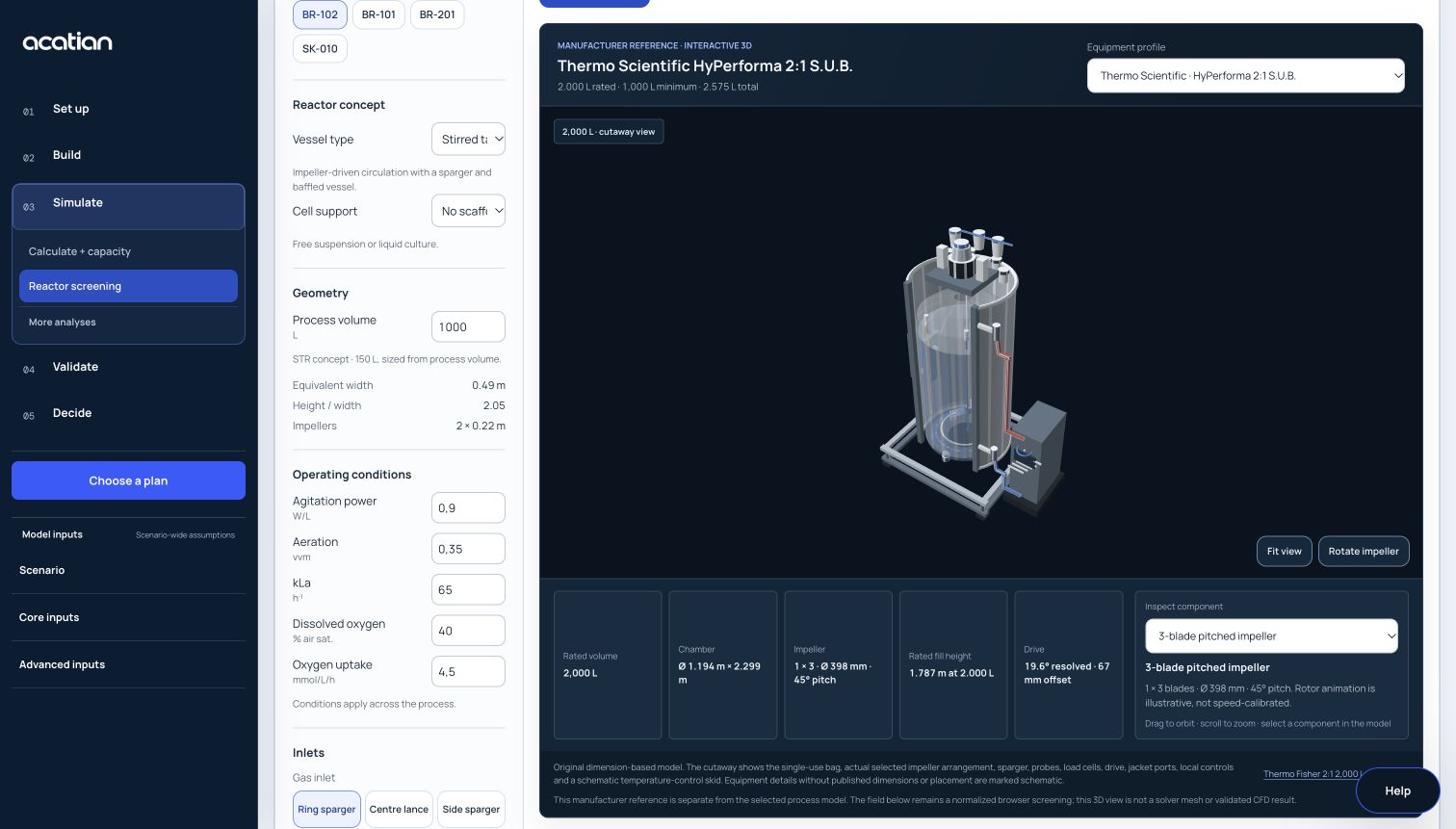
Acatian reactor workbench with a 2,000 liter equipment geometry and setup controls
Reactor workbench · equipment geometry and transport screening

Inspect the equipment

A 2,000 L reactor, in your browser.

Equipment geometry · not a solved flow field

Choose Explore to load the workspace geometry renderer.

Reference geometry from published dimensions. Inspect the equipment source

Bioprocess trainer

Learn how the reactor responds.

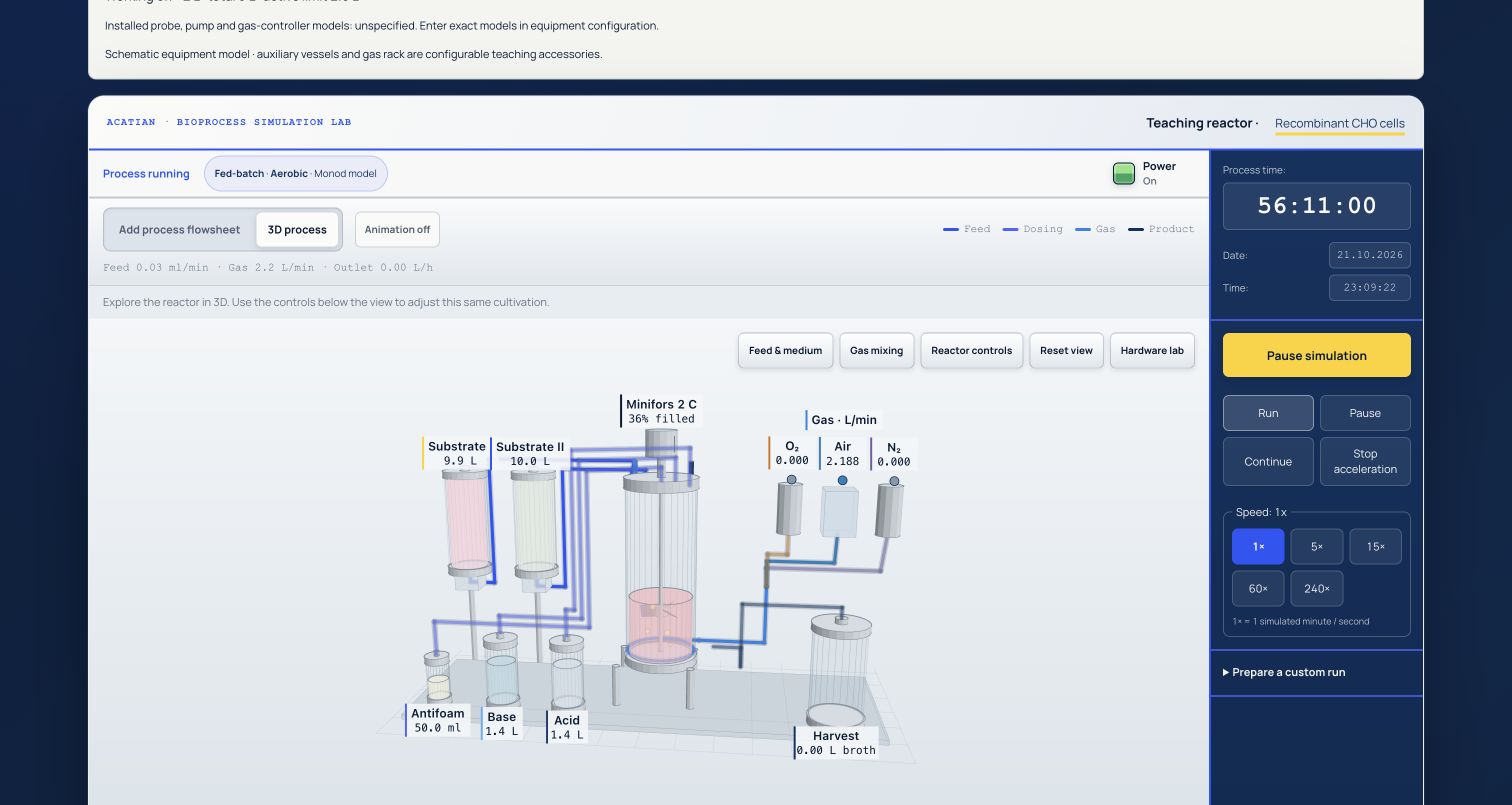
Run a simulated bioprocess. Adjust feed, agitation, aeration and cooling; collect samples and diagnose a changing operating state.

You control
The operating strategy, sampling time and response to a training disturbance.
You inspect
Simulated growth, substrate, oxygen, pH and the evidence behind your diagnosis.
Open the interactive trainer

Educational simulation. The screening parameters require process-specific calibration.

Acatian bioprocess trainer with a simulated cultivation and interactive laboratory equipment
Bioprocess trainer · educational simulation
Browse editable process models

A source diagram is an editable starting point. It needs reviewed topology and parameters before calculation.

03 / Keep the basis connected

Data in. Decisions you can trace.

Bring measurements, assumptions and calculations into the same study. Keep a source and a saved model version behind the result.

Process data, measured ranges and machine learning

Map imported records to model variables and review changes before applying them. Fit supported bioprocess studies to reviewed process data. Inspect holdout error and keep predictions inside the measured operating range.

Saved versions, assumptions and model changes

Use the model assistant to turn supported English or German instructions into a proposed change. Inspect the preview before applying it to a saved version. Compare alternatives and sensitivity to uncertain inputs.

Cost, resources and an editable result

Connect material, equipment and utility assumptions to screening cost and environmental studies. Share the decision summary, PDF report, Excel workbook and engineering tables with the calculation basis.

Live historian, OPC UA, SCADA and equipment control need a separately implemented and qualified site integration.

04 / Applications

Built for process industries.

Use the same engineering workspace for chemical production, bioprocess scale-up, food processing and plant investment studies.

01

Chemical process engineering

Study reactor conversion, residence time, phase separation and thermal duties within each calculation's stated limits. Compare the equipment and utility implications.

02

MSAT, biopharma and CDMO

Compare source and receiving-site assumptions for tech transfer. Review equipment fit, cleaning, hold times and production capacity.

04

Manufacturing and investment studies

Study equipment occupancy, batch timing and utility demand. Compare cost and environmental assumptions across the same alternatives.